

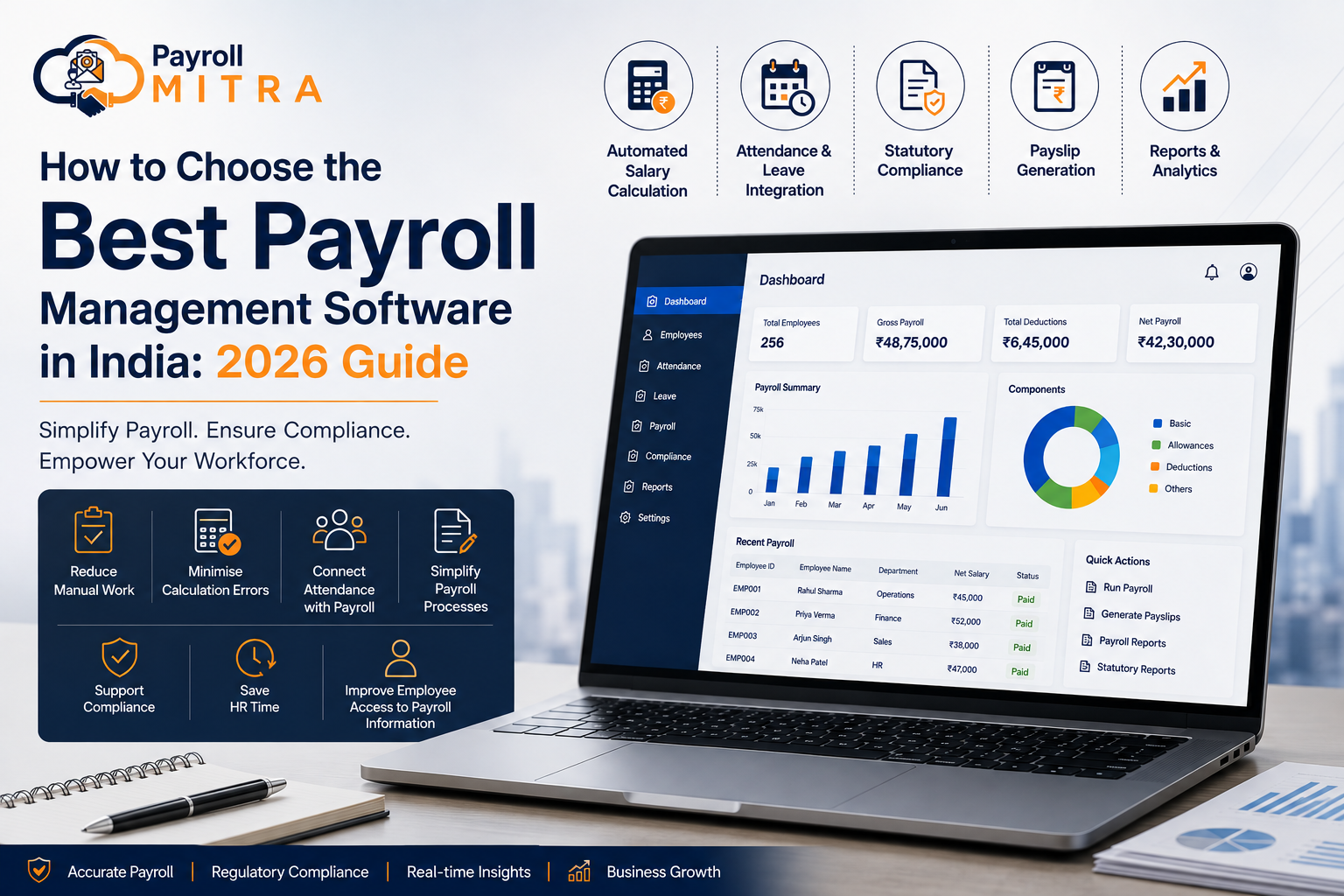
Payroll processing is an important part of running any business. As a company grows, managing salaries through spreadsheets or manual processes can become increasingly difficult. HR teams may need to handle salary calculations, attendance, leave, overtime, deductions, payslips, and applicable payroll compliance requirements every month.
Payroll management software in India can help businesses streamline these activities through a centralized system. By connecting payroll with attendance, leave, shifts, and employee information, businesses can reduce repetitive manual work and create a more organized payroll process.
However, choosing payroll software is not simply about finding a system with the most features. The right solution should fit your business size, payroll process, attendance requirements, compliance needs, reporting requirements, and future growth.
What Is Payroll Management Software?
Payroll management software is a digital system that helps businesses manage employee payroll and related processes. Depending on the software, it can support salary calculations, earnings and deductions, attendance-linked payroll, leave and loss-of-pay calculations, overtime, payslip generation, and payroll reporting.
Instead of maintaining payroll information across multiple spreadsheets and manual records, businesses can manage relevant employee and payroll data through a centralized system.
How Does Payroll Software Work?
A typical payroll process can follow this workflow:
Employee Data → Attendance & Leave → Salary Calculation → Deductions & Compliance → Payslip → Reports
The exact process depends on the business and the software being used. The main objective is to make payroll processing more structured, reduce repetitive manual work, and improve the consistency of payroll data.
Why Do Businesses Need Payroll Management Software?
Payroll may appear straightforward when a business has only a few employees. As employee numbers, salary structures, attendance rules, and compliance requirements increase, however, payroll can require significantly more administrative effort.
Reduce Manual Payroll Work
Payroll teams may have to collect attendance, check leave, calculate salaries, apply deductions, and prepare payslips every month. Payroll software can automate many repetitive calculations and reduce manual data entry.
Minimise Payroll Calculation Errors
Manual calculations and repeated spreadsheet updates can lead to data-entry or calculation mistakes. A structured payroll system can help apply configured salary and payroll rules consistently.
Connect Attendance With Payroll
Attendance can directly affect salary through working days, leave, loss of pay, overtime, and shifts. Connecting attendance with payroll reduces the need to manually transfer information between separate systems.
Simplify Payroll Processes
A centralized system can bring employee information, salary data, attendance, leave, and payroll reports together, making routine payroll processing easier to manage.
Support Payroll Compliance
Indian businesses may have statutory payroll requirements such as PF, ESI, Professional Tax, and LWF, depending on their circumstances and location. Businesses should therefore check whether the payroll software supports the requirements applicable to them.
Save HR Time
By reducing repetitive administrative tasks, payroll software can allow HR teams to spend less time on manual payroll processing and more time on employee and business-related activities.
Improve Employee Access to Payroll Information
Employee self-service capabilities can allow employees to access relevant information such as payslips, attendance, or leave details, depending on the software’s features.
What Makes Payroll Software Suitable for Indian Businesses?
Indian payroll has specific requirements that businesses should consider when evaluating payroll software.
A suitable solution should be able to support payroll processes relevant to the organization, including
- Salary structures and deductions
- Attendance and loss of pay
- Overtime and shifts
- PF-related payroll processes
- ESI-related payroll processes
- Professional Tax
- Labour Welfare Fund
- Payslip generation
- Payroll reporting
The applicability and calculation of statutory requirements can depend on factors such as employee eligibility, wages, establishment type, and location. Therefore, businesses should always verify the requirements applicable to their organization.
The key point is that Indian businesses should not select payroll software based only on generic salary-processing capabilities. The software should fit the country’s payroll environment and the company’s actual workforce requirements.
10 Features to Look for in Payroll Management Software
Not every business needs the same payroll system. Before choosing a solution, evaluate whether its features match your actual payroll workflow.
1. Automated Salary Calculation
Salary calculation is one of the core functions of payroll software.
Look for support for relevant salary components such as the following:
- Basic salary
- Allowances
- Deductions
- Loss of pay
- Overtime
- Arrears
- Other configured salary components
A good system should allow businesses to manage salary structures according to their requirements rather than relying on a one-size-fits-all approach.
2. Attendance and Payroll Integration
Attendance and payroll should ideally work together because attendance information can affect salary calculations.
A connected process can look like this:
Attendance → Working Days → Leave/LOP → Overtime → Payroll
This can be particularly useful for businesses using biometric, web, or mobile attendance, as well as organizations managing shifts, overtime, or remote employees.
3. Leave Management
Leave management becomes more useful when it is connected with payroll.
Important capabilities may include:
- Leave policies
- Leave balances
- Leave applications
- Approval workflows
- Leave-related payroll calculations
This can help reduce the need for HR teams to maintain separate leave records and manually transfer information into payroll.
4. Shift and Overtime Management
Businesses with different working shifts or overtime requirements need payroll software that can accommodate their workforce structure.
This can be particularly relevant for:
- Manufacturing
- Retail
- Logistics
- Security
- Service businesses
- Businesses with field employees
The software should support the shift and overtime rules relevant to the organization.
5. PF, ESI, PT, and LWF Support
For Indian businesses, statutory payroll support is an important consideration.
Before selecting software, check its capabilities around relevant requirements such as the following:
- Provident Fund (PF)
- Employee State Insurance (ESI)
- Professional Tax (PT)
- Labour Welfare Fund (LWF)
Do not assume that every payroll platform handles every statutory requirement in the same way. Check the specific features and applicability for your business.
6. Payslip Generation
Preparing payslips manually every month can add administrative work.
Payroll software can generate payslips using processed payroll information and, where supported, make them available to employees through an employee self-service system.
7. Employee Self-Service
Employee self-service can make routine HR and payroll activities more convenient.
Depending on the software, employees may be able to access the following:
- Payslips
- Attendance information
- Leave details
- Other relevant employee information
This can also reduce repetitive requests handled manually by HR.
8. Payroll Reports and Analytics
Payroll reports help HR teams and management review workforce and salary information.
Useful reports can include:
- Salary reports
- Payroll reports
- Attendance reports
- Leave reports
- Deduction reports
- Statutory reports
When comparing software, focus on whether the reports are useful for your business rather than simply counting how many reports are available.
9. Loan and Advance Management
Businesses that provide employee loans or salary advances may need to track repayment and deductions along with payroll.
A payroll system with loan and advance management can help maintain relevant records, repayment schedules, deductions, and outstanding amounts.
10. Cloud-Based Access
Cloud-based payroll software can allow authorized users to access payroll and HR information from different locations.
This can be useful for businesses with:
- Multiple locations
- Distributed HR teams
- Remote employees
- Employees working outside the main office
Businesses should also evaluate the platform’s access controls and data-protection practices before selecting a solution.
How to Choose Payroll Software for Your Business?
Once you understand the important features, the next step is to determine whether a particular software actually fits your business.
1. Understand Your Payroll Requirements
Start by documenting your current payroll process.
Ask:
- How many employees do we manage?
- How many salary structures do we have?
- How is attendance recorded?
- Do employees work different shifts?
- Is overtime involved?
- How are leave and LOP handled?
- What payroll reports do we need?
- Which statutory requirements apply?
This prevents you from choosing software simply because it has a long list of features.
2. Check Indian Payroll Compliance Support
Indian businesses should check whether the software supports the payroll requirements relevant to their organization.
Pay particular attention to:
- PF
- ESI
- PT
- LWF
Ask the provider how these processes are handled and whether the relevant reports and calculations are supported.
3. Check Attendance Integration
If attendance affects salary, integration should be an important selection criterion.
Check whether the software works with the attendance methods your organization uses, such as biometric, web, mobile, or remote attendance, where supported.
4. Evaluate Salary, Overtime, and LOP Calculations
Every business may have different salary structures and payroll rules.
During a software demonstration, test real examples from your business, including:
- Regular salary
- Leave
- LOP
- Overtime
- Deductions
- Arrears
- Different salary structures
A demo based on real scenarios can reveal whether the software actually fits your payroll process.
5. Check Employee Self-Service
Consider what employees need to access without depending on HR for every routine request.
For example:
- Payslips
- Leave information
- Attendance details
- Other relevant employee information
A suitable employee self-service system can improve accessibility while reducing repetitive HR queries.
6. Review Reports and Analytics
Do not choose software based only on the number of reports available.
Instead, check whether it provides the information your HR and management teams actually need for payroll review, employee records, and decision-making.
7. Consider Scalability
Your payroll requirements may change as your business grows.
Ask:
- Can the software support more employees?
- Can it handle additional locations?
- Can it support more shifts?
- Can the payroll process adapt as the organization grows?
Choosing a system that can support future requirements can help avoid unnecessary software changes later.
8. Compare Pricing and Overall Value
The cheapest payroll software is not always the best choice.
Similarly, the most expensive platform may offer features your business does not need.
Compare:
- Employee limits
- Features included
- Modules
- Additional charges
- Support
- Onboarding
- Overall value
The goal is to choose software that provides the capabilities your business actually needs at a reasonable overall cost.
9. Evaluate Customer Support
Payroll is a recurring business process, so reliable support can be important.
Before choosing a provider, understand:
- Onboarding process
- Training
- Technical support
- Query resolution process
- Available support channels
Good support can make implementation and ongoing use easier.
10. Take a Demo Before Choosing
A demo gives you an opportunity to test whether the software fits your actual payroll workflow.
Instead of only watching a standard presentation, ask the provider to demonstrate practical scenarios such as salary processing, attendance, leave, overtime, deductions, payslips, and reports.
What About Payroll Data Security?
Payroll systems handle employee information, so data security should also be part of the selection process.
Before choosing a payroll platform, businesses should understand how it manages:
- User access
- Roles and permissions
- Authentication
- Data protection
- Backups
- Privacy
- Secure access
The exact security capabilities vary between providers. Businesses should review the provider’s documented security practices rather than assuming that every cloud payroll system offers the same level of protection.
Payroll Software vs Excel: Which Is Better?
Excel can work well for businesses with a small workforce and relatively simple payroll requirements. However, as employee numbers and payroll complexity increase, maintaining attendance, leave, overtime, deductions, and reports manually can require more time and effort.
| Feature | Excel/Manual Payroll | Payroll Software |
| Salary calculation | Manual | Automated |
| Attendance integration | Limited/manual | Integrated, depending on the system |
| Leave tracking | Manual | System-based |
| Overtime | Manual | Automated/system-based |
| Payslips | Manual | Automated |
| Compliance calculations | Manual | Software-supported |
| Reports | Manual | Automated |
| Employee access | Limited | Self-service, where available |
| Scalability | More difficult | Easier to scale |
Excel is not necessarily the wrong choice for every business. The key question is whether the existing process can handle the organization’s current payroll workload accurately and efficiently.
When attendance, leave, overtime, compliance, and employee records become increasingly interconnected, an integrated payroll system may provide a more structured approach.
Is Payroll Software Suitable for Small Businesses and SMEs?
Payroll software is not limited to large organizations. Small businesses and SMEs can also benefit when payroll activities become difficult to manage manually.
A business may consider payroll software when:
- Employee numbers are increasing
- Payroll takes significant HR time
- Attendance and leave need to connect with salary
- Employees work different shifts
- Overtime calculations are required
- Payroll requirements are becoming more complex
- Employees regularly request payslips or payroll information
For a growing business, the right payroll solution should be simple enough for current needs while providing the flexibility to support future growth.
Why Payroll Mitra Can Be a Practical Choice for Indian Businesses
Payroll Mitra is designed to bring payroll and key HR processes together for Indian businesses. Instead of managing salary, attendance, leave, shifts, and other employee-related activities through disconnected systems, businesses can manage these processes through an integrated platform.
Salary Management
Payroll Mitra supports salary management with capabilities for salary calculations, salary structures, overtime, arrears, payslips, and related payroll processes.
Attendance Management
Payroll Mitra supports attendance through biometric, web, and mobile methods, with attendance information connected to payroll processes. Remote attendance capabilities can also support businesses managing employees across different locations.
Leave and Shift Management
Payroll Mitra provides leave and shift management capabilities to help businesses manage leave policies, approvals, employee shifts, and related attendance information.
Loan and Advance Management
Businesses can manage employee loans and advances along with relevant repayment and deduction information.
PF, ESI, PT, and LWF Support
Payroll Mitra is designed around Indian payroll requirements and supports payroll-related processes involving PF, ESI, professional tax, and labor welfare funds.
Businesses should still verify the statutory requirements applicable to their specific employees, establishment, and location.
Employee Self-Service and Engagement
Payroll Mitra includes employee-focused capabilities that can help employees access relevant information and participate in routine HR processes.
Reports and Analytics
Payroll and HR reports can help businesses review salary, attendance, leave, and other workforce information in an organized manner.
Integrated Payroll Workflow
The overall process can be viewed as follows:
Employee Data → Attendance → Leave/Shift → Payroll → Compliance → Payslip → Reports
This integrated approach can help businesses manage payroll and related HR activities without relying on multiple disconnected processes.
Who Can Benefit from Payroll Mitra?
Payroll Mitra can be relevant for Indian businesses that want to manage payroll and related HR activities through a centralized system.
It can be particularly useful for businesses dealing with:
- Growing employee numbers
- Attendance-based payroll
- Multiple shifts
- Overtime
- Leave and LOP
- Employee loans or advances
- Payroll compliance processes
- Employee payslip requirements
- Payroll and HR reporting
The suitability of any payroll software ultimately depends on the organization’s specific requirements, workforce structure, and processes.
A Simple Example: Why Integrated Payroll Matters
Consider a business with 100 employees.
Before processing monthly salaries, the HR team may need to check attendance, approved leave, loss of pay, overtime, and applicable deductions. If these records are maintained across separate spreadsheets or systems, HR may need to manually verify and transfer information before payroll can be processed.
With an integrated payroll process, relevant attendance and employee information can flow into payroll before salary processing.
Attendance → Leave/LOP → Overtime → Salary → Deductions → Payslip
The benefit is not simply automation; it is having related payroll information organized within a connected process.
Questions to Ask Before Choosing Payroll Software
Does the software support Indian payroll requirements?
Check whether the software supports the statutory payroll requirements applicable to your business, including relevant PF, ESI, PT, and LWF processes.
Can attendance be integrated with payroll?
If attendance affects salary, check whether the software can connect attendance data with payroll and support the attendance methods used by your organization.
Can it handle overtime and LOP?
Ask the provider to demonstrate actual overtime and loss-of-pay scenarios using your business’s salary structure and payroll rules.
Does it support PF, ESI, PT, and LWF?
Check which statutory payroll requirements are supported and how calculations, records, and reports are handled.
Can employees access their payslips?
Check whether the software provides employee self-service and what payroll information employees can access.
Can the software support business growth?
Evaluate employee capacity, additional locations, shifts, and other requirements you may have as the organization grows.
Is customer support available?
Understand the provider’s onboarding, training, and support process before making a decision.
Can I take a demo before choosing?
Yes. A demo allows you to test the software against real payroll scenarios and determine whether it fits your business.
Conclusion
Choosing the right payroll management software in India is about more than automating salary calculations. Businesses should evaluate how well a solution fits their payroll process, attendance requirements, leave and shift policies, applicable compliance needs, employee experience, reporting requirements, and future growth.
For Indian SMEs and growing businesses, an integrated payroll system can provide a more organized alternative to managing payroll through disconnected spreadsheets and manual processes.
Payroll Mitra brings salary management, attendance, leave, shifts, loans, employee management, payroll compliance, and reporting together in one platform, helping businesses manage payroll and HR processes through a centralized system.
Ready to simplify payroll and HR management? Explore Payroll Mitra and see how it can fit your business.