

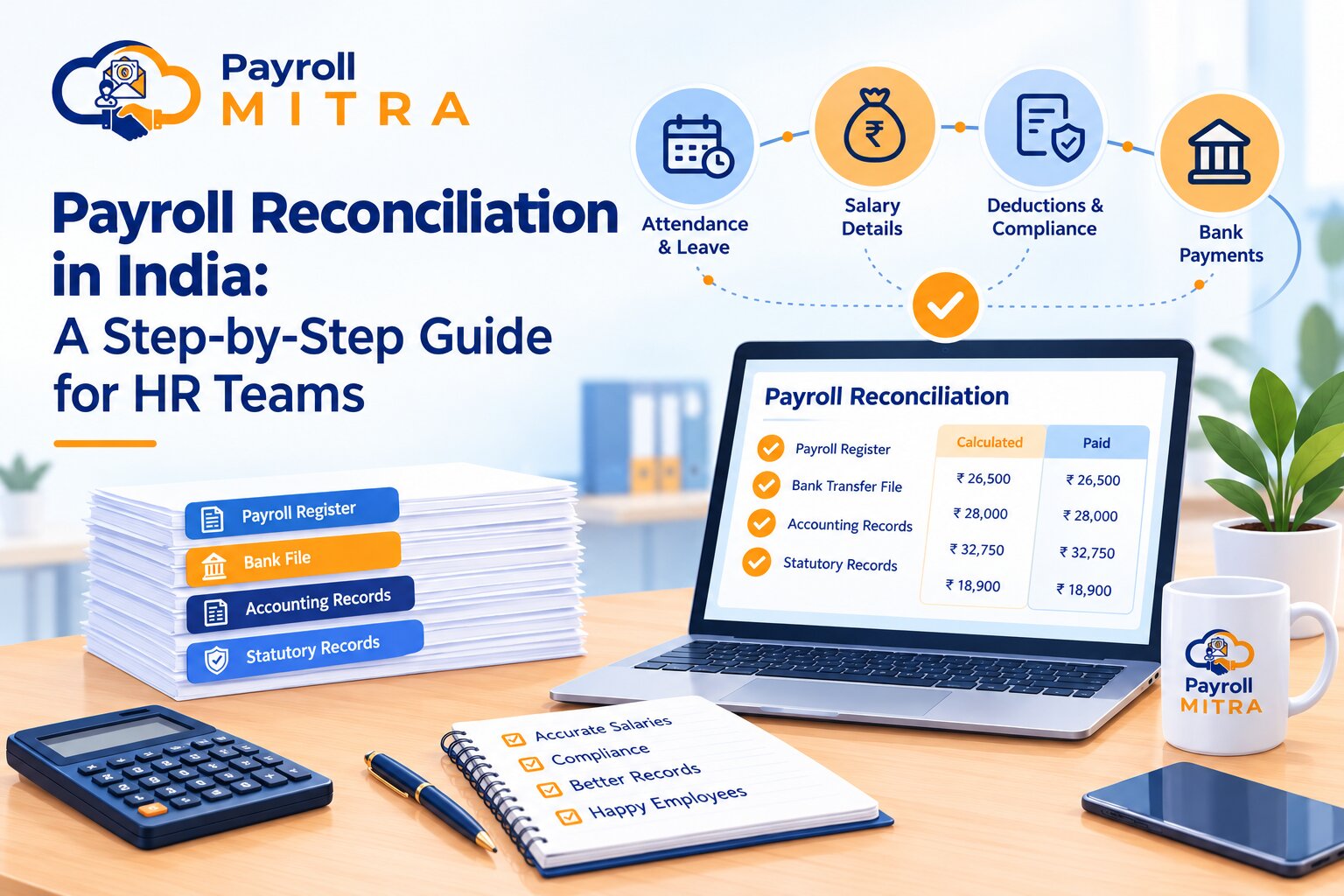
Payroll processing involves more than calculating salaries and transferring money to employees. HR and finance teams must also verify employee details, attendance records, salary changes, deductions, payment amounts, and relevant accounting records. This verification process is known as payroll reconciliation.
Even a small mismatch between the approved payroll register and the bank transfer file can create payment issues, additional work, and confusion for employees. Regular reconciliation helps businesses identify these differences, investigate their causes, and maintain accurate payroll records.
What Is Payroll Reconciliation?
Payroll reconciliation is the process of comparing payroll calculations and payment records with supporting documents to identify and resolve differences before and after salary payments.
It involves checking whether employee details, attendance, salary components, deductions, and net salary amounts match the relevant approved records. HR and finance teams may also need to verify salary payment records, accounting entries, and applicable compliance documents as part of the reconciliation process.
For example, an employee’s approved net salary may be ₹26,500, while the bank transfer file shows ₹27,000. The difference of ₹500 must be investigated before the payment file is finalized.
Payroll processing calculates how much an employee should receive. Payroll reconciliation checks whether the calculated amount agrees with the supporting information and whether the payment and related records are consistent.
Why Is Payroll Reconciliation Important for Indian Businesses?
Payroll reconciliation helps businesses maintain accurate salary records and establish reliable checks around monthly payroll processing. It is particularly useful when payroll depends on information collected from different departments or systems.
1. Helps Identify Salary Differences
Salary calculations can become inaccurate when attendance records are incomplete, salary updates are overlooked, incentives are entered more than once, or required deductions are not applied. Reconciliation helps HR teams identify these differences and investigate them before they lead to incorrect payments.
2. Improves Payment Accuracy
Comparing the approved payroll register with the bank transfer file helps confirm that the amounts prepared for payment match the approved salary amounts. Post-payment checks can then help identify failed transactions or differences between the payment file and actual bank activity.
3. Supports Payroll Compliance
Indian employers may need to review applicable provident fund (PF), Employees’ State Insurance (ESI), tax deducted at source (TDS), professional tax, and other statutory records, depending on their circumstances.
This review allows HR teams to check whether payroll figures match the records required for applicable statutory obligations. However, reconciliation alone does not guarantee compliance; businesses must also follow the applicable rules, reporting requirements, and deadlines.
4. Keeps Financial Records Consistent
Businesses may track salary costs and outstanding payroll payments in their accounting software separately from their payroll records. Comparing relevant payroll reports with accounting entries helps finance teams investigate differences and maintain consistent records.
5. Creates a Clear Audit Trail
Documenting discrepancies, corrections, and approvals makes it easier to understand why payroll figures changed. It also helps authorized team members review previous payroll periods and respond to internal or external audit queries.
Which Records Should HR Teams Reconcile?
Before starting reconciliation, HR and finance teams should identify the records relevant to their payroll process. The records you need to maintain depend on your company’s size, salary processing practices, and applicable compliance requirements.
| Record | What to Check |
| Employee master data | Joining dates, exit dates, employment status, and approved employee-detail changes |
| Attendance and leave reports | Working days, approved leave, loss of pay, and overtime |
| Salary structure | Basic salary, allowances, deductions, and approved revisions |
| Variable earnings | Incentives, bonuses, reimbursements, and arrears |
| Deduction records | Applicable statutory deductions, advances, and loan recoveries |
| Payroll register | Employee-wise earnings, deductions, and net salary |
| Bank transfer file | Payment amounts and employee bank details |
| Bank confirmation | Actual debits, failed transactions, and returned payments |
| Accounting records | Salary expenses, payroll liabilities, and relevant ledger entries |
| Statutory records | Applicable calculations, returns, challans, and payment records |
The reconciliation process may differ depending on how each business manages its payroll records. HR and finance teams should establish a process that reflects their payroll arrangements and applicable requirements.
How to Reconcile Payroll Step by Step
A structured reconciliation process makes it easier to identify differences, understand their causes, and document the actions taken. The following steps can be adapted to a company’s monthly payroll cycle.
Step 1: Verify Employee Details
Before processing salaries, verify the employee records for the relevant month. Confirm recent hires, exits, changes in employment status, and any approved updates to personal or job-related information.
Confirm that salary records relate to the correct employees and payroll period. If an employee has resigned, verify whether the final settlement should be processed separately or included in the relevant payroll run.
This step helps reduce the risk of missing, duplicate, or incorrect employee records.
Step 2: Match Attendance, Leave, and Overtime
Verify that the attendance and leave data matches the figures used to calculate employee salaries. Check payable working days, approved leave, unpaid leave, late or early attendance adjustments where applicable, and overtime.
For example, if an employee has approved unpaid leave but the payroll calculation includes the full month’s salary, HR should investigate whether the leave information was correctly transferred to payroll.
Also confirm that attendance corrections and leave approvals made before the payroll cutoff have been included. Any changes made after the cutoff should follow the company’s approved adjustment process.
Step 3: Verify Salary Components and Changes
Review the approved salary structure and compare it with the salary components used in the payroll register.
Check basic salary, allowances, incentives, overtime payments, reimbursements, salary revisions, and arrears where applicable. Pay particular attention to changes that became effective during the payroll period.
For example, if an employee’s salary revision was approved from the first day of the month, confirm that the revised amount was applied correctly. If the revision became effective mid-month, check whether the calculation follows the company’s applicable salary policy.
Investigate any unexplained change in gross salary before moving to the next step.
Step 4: Check Deductions and Net Salary
Verify employee salary deductions and the corresponding employer payments, wherever required. These may include PF, ESI, TDS, professional tax, loan repayments, salary advances, or other authorized deductions.
Check that the correct compliance rules and employee information are reflected in the payroll calculations. Statutory requirements may vary according to eligibility, applicable law, and other relevant conditions, so teams should consult current official guidance when checking compliance-related calculations.
After reviewing earnings and deductions, confirm that the net salary agrees with the approved payroll calculation.
Net salary = Gross earnings − Applicable employee deductions
This is a simplified relationship; the exact payroll calculation depends on the employee’s earnings, deductions, adjustments, and applicable rules.
Step 5: Compare Current Payroll with the Previous Month
Compare the current payroll register with the previous month’s records. Look for significant changes in gross salary, deductions, net salary, employee count, and payroll expenses.
An increase or decrease does not automatically mean an error. It may result from a salary revision, unpaid leave, overtime, an incentive, an employee joining or leaving, or a change in applicable deductions.
Record the reason for each material variance so that it can be reviewed later if necessary.
Step 6: Match the Payroll Register with the Bank Transfer File
The finalized payroll report records the salary payable to each employee after the necessary calculations and approvals. The bank transfer file contains the payment instructions prepared for the bank.
Compare the net salary for each employee with the corresponding amount in the transfer file. Verify employee identifiers, bank details, payment amounts, and the total amount prepared for transfer.
If the amounts do not match, investigate whether the file was generated from an older payroll version, a manual adjustment was made, or an incorrect amount was entered.
Do not assume that a matching bank transfer file confirms successful payment. After the transfer, review available bank confirmations and investigate rejected, failed, or returned transactions.
Step 7: Reconcile Accounting and Statutory Records
Where applicable, compare payroll totals with the relevant accounting entries. Review salary expenses, payroll liabilities, and other related ledger balances according to the company’s accounting process.
Also verify applicable statutory records against the relevant payroll calculations and supporting documents. This may include PF, ESI, TDS, or other obligations that apply to the business.
Some differences may arise from timing, posting methods, or adjustments rather than incorrect payroll calculations. Identify what caused the discrepancy before updating the records, and follow the relevant accounting or compliance guidelines.
Step 8: Resolve Differences and Approve Payroll
Once a discrepancy is identified, trace it to the original source record. Determine whether the cause is an incorrect input, an outdated file, a calculation issue, an unauthorized change, or a genuine adjustment.
Correct the relevant record or payment instruction only after verifying the cause and obtaining the required approval. Recheck the affected calculations and keep supporting evidence of the correction.
Before closing the reconciliation process, confirm that material differences have been resolved or formally documented, the required approvals are complete, and the final payroll records are saved securely.
Common Payroll Reconciliation Errors to Watch For
Even when payroll is processed regularly, differences can occur if source information is incomplete or records are not updated consistently.
- Incorrect attendance or leave data: Attendance changes or approved leave may not be reflected in payroll. Compare the final approved attendance report with the payroll inputs.
- Missed salary revisions: An updated salary structure may not have been applied in the correct period. Verify the approval date and effective date of each revision.
- Duplicate or missed salary payments: Errors in the payment file can result in an incentive being paid twice or an employee not receiving their salary. Compare employee-wise amounts against the approved payroll register.
- Incorrect deductions: A deduction may be missing, duplicated, or calculated using outdated employee information. Check the relevant source records and applicable rules.
- Bank file differences: The payment file may contain an amount different from the final approved net salary. Compare the file with the latest approved payroll version.
- Unresolved final settlements: An employee who has left may require a separate final settlement calculation. Confirm that the employee’s exit date and applicable settlement items are correctly recorded.
- Accounting mismatches: Payroll expenses and accounting entries may differ because of incorrect posting, timing, or allocation. Trace the difference to the relevant transaction before changing the records.
The objective is not simply to identify a mismatch. HR and finance teams should determine its cause, correct it through an approved process, and retain evidence of the resolution.
Payroll Reconciliation Example
Consider a hypothetical employee whose approved payroll register shows a net salary of ₹26,500, while the bank transfer file contains ₹27,000.
| Item | Amount |
| Approved net salary | ₹26,500 |
| Amount in bank transfer file | ₹27,000 |
| Difference requiring investigation | ₹500 |
The ₹500 difference should not immediately be classified as an overpayment. HR should first confirm that both records relate to the same employee and payroll period.
| Possible cause | What HR should verify |
| Older payroll file used | Check whether the transfer file was generated before the final payroll approval. |
| Manual adjustment | Review the change and confirm whether it was authorized. |
| Incorrect payment amount | Compare the employee’s approved net salary with the transfer instruction |
| Record mismatch | Confirm the employee details and payroll period in both records |
After identifying the cause, the authorized team member should correct the appropriate record or payment instruction, recheck the final amount, and document the resolution.
This example demonstrates an important principle: identifying a difference is only the first part of reconciliation. The team must also establish why it occurred and verify that the correction is accurate.
Monthly Payroll Reconciliation Checklist
HR and finance teams can use the following checklist to standardize their monthly review.
Before Payroll Approval
- Confirm employee details, joining dates, and exit records.
- Verify approved salary revisions and arrears.
- Match attendance, leave, loss of pay, and overtime inputs.
- Review incentives, reimbursements, advances, and other adjustments.
- Check applicable deductions and employer contributions.
- Compare current payroll with the previous month and investigate unusual changes.
Before Salary Payment
- Match the approved payroll register with the bank transfer file.
- Verify employee bank details and payment amounts.
- Confirm that the correct payroll version has been approved.
- Investigate or formally document outstanding differences.
- Retain the required approval and payment records.
After Salary Payment
- Compare available bank confirmation with the approved payment file.
- Investigate failed, rejected, or returned salary payments.
- Reconcile relevant payroll accounting entries.
- Review applicable statutory records and payment evidence.
- Save reports, approvals, and correction records securely.
The checklist should be adapted to the company’s payroll policy, internal controls, and statutory obligations.
Can Payroll Software Simplify Payroll Reconciliation?
Payroll software can help organize salary calculations, attendance inputs, leave records, deductions, reports, and payment files. When these activities are managed through connected workflows, HR teams may spend less time transferring the same information between separate spreadsheets.
However, software does not remove the need for verification. Incorrect source data, outdated approvals, manual changes, or incomplete records can still create discrepancies. HR and finance teams must review the relevant outputs and investigate unexplained differences.
Businesses should evaluate payroll software based on the actual features available, including reporting, salary calculations, attendance integration, payment-file preparation, access controls, and approval workflows.
How Payroll Mitra Helps HR Teams Organize Payroll Records
Payroll Mitra is a cloud-based payroll and HRMS software designed for Indian businesses. Its listed features include automated salary calculations, attendance and leave management, overtime handling, salary revisions, arrears, bank transfer files, payslips, salary registers, and payroll reports.
These capabilities are relevant to different stages of payroll reconciliation.
- Attendance and leave verification: Attendance, leave, and overtime workflows help organize the information used in salary processing.
- Salary calculation review: Salary structures, revisions, arrears, and automated calculations help HR teams prepare payroll using relevant salary inputs.
- Payment preparation: Bank transfer files and payslips provide records that can be reviewed against approved salary amounts.
- Payroll reporting: Salary registers and payroll summaries help teams review employee-wise figures and payroll totals.
- Statutory record review: Relevant PF, ESI, and other listed payroll compliance features can support the review of applicable payroll calculations and reports.
These features can help organize the records needed for reconciliation, but HR teams should still verify source information, review discrepancies, and approve corrections through their established process.
Conclusion
Payroll reconciliation is an important part of maintaining accurate and reliable payroll records. By checking employee information, attendance, salary components, deductions, payment files, and relevant accounting or statutory records, HR and finance teams can identify differences and investigate them before closing the payroll cycle.
A consistent monthly process, supported by a practical checklist and documented approvals, helps teams understand discrepancies and maintain a clear record of corrections. Payroll software helps keep salary records organized, but reliable results still depend on correct employee data and proper verification.
For Indian businesses looking to organize salary calculations, attendance, leave, and payroll reporting in one workflow, Payroll Mitra offers features worth exploring. Visit the Payroll Mitra Features page to learn more about its payroll and HRMS capabilities.